Student List
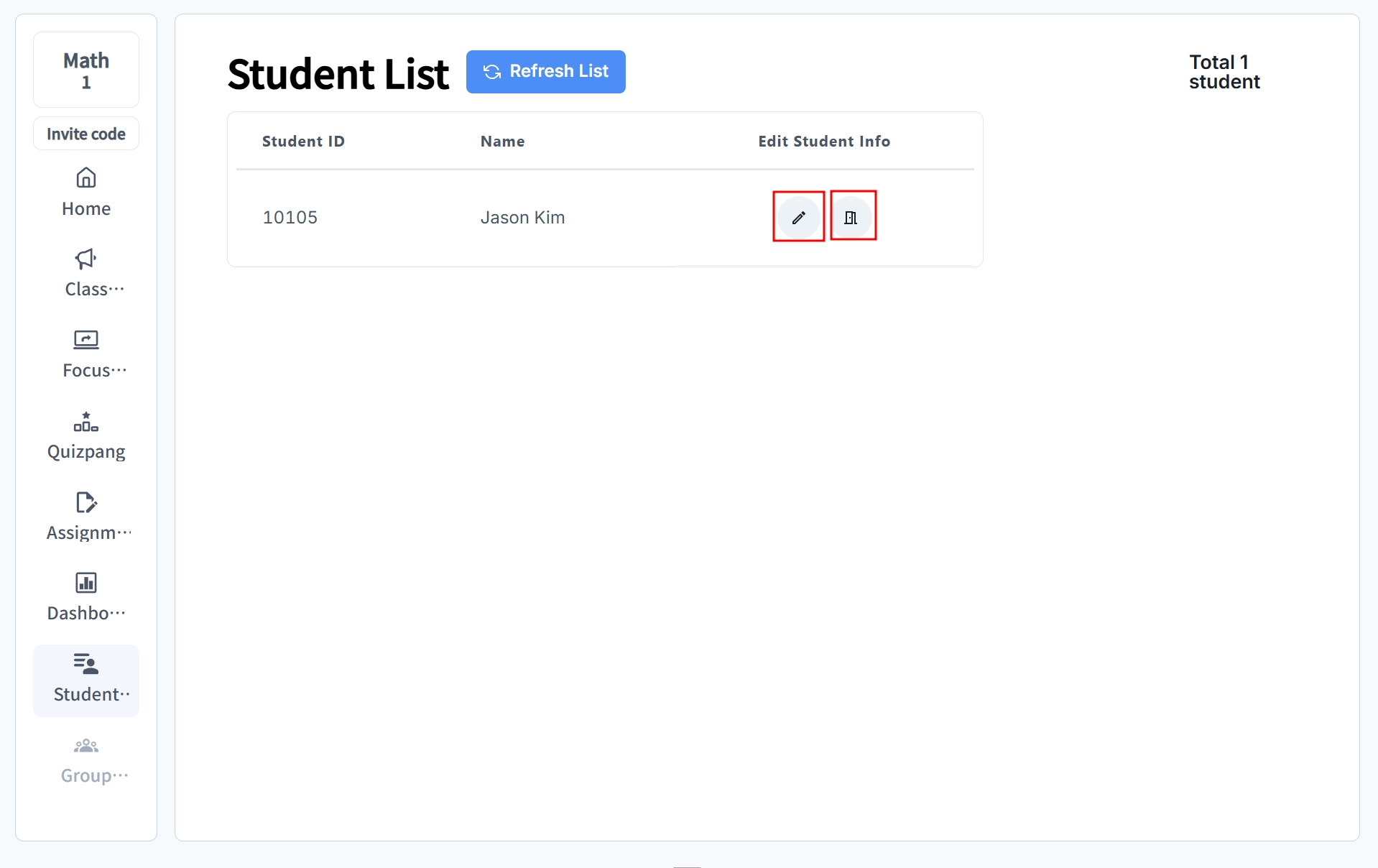
📍 Main Page → Click the class in the timetable → Click [Student List] on the left sidebar
Teachers can directly manage information for students enrolled in the class. You can edit student details or remove students from the list.
tip
- Keep student information accurate
- Remove transferred students from the list immediately
- Remind students to enter their names correctly in advance
- Check the student list regularly
Editing Student Information
When should you update student information?
- If a student has entered their name incorrectly
- If the student ID was entered incorrectly
- If the student’s personal information has changed
How to edit:
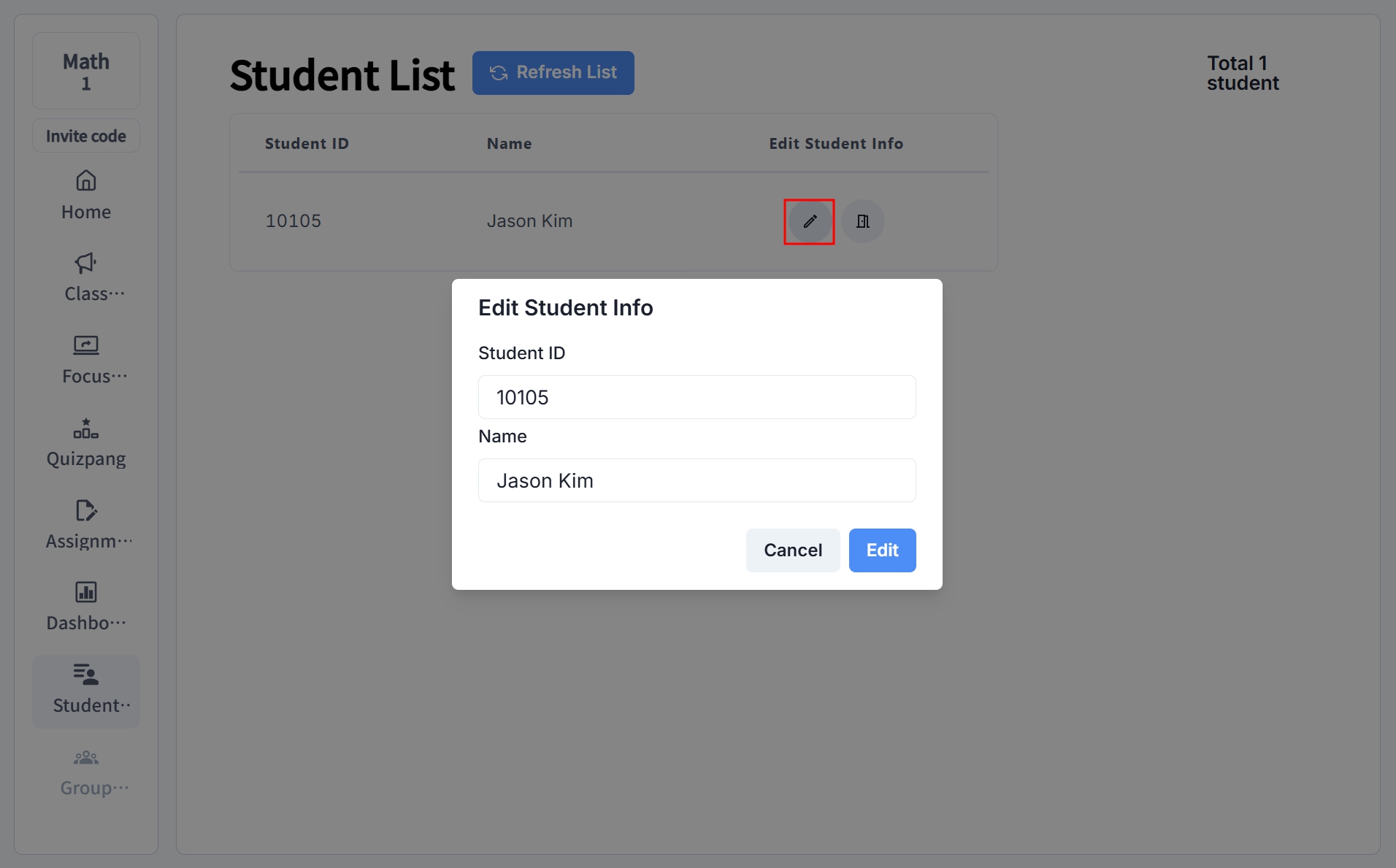
Click the ✏️pencil icon to edit a student’s ID and name.
Removing Students
When should you remove a student?
- If the student has transferred to another school
- If the student is no longer participating in the class
- If the student joined the class by mistake
How to remove:
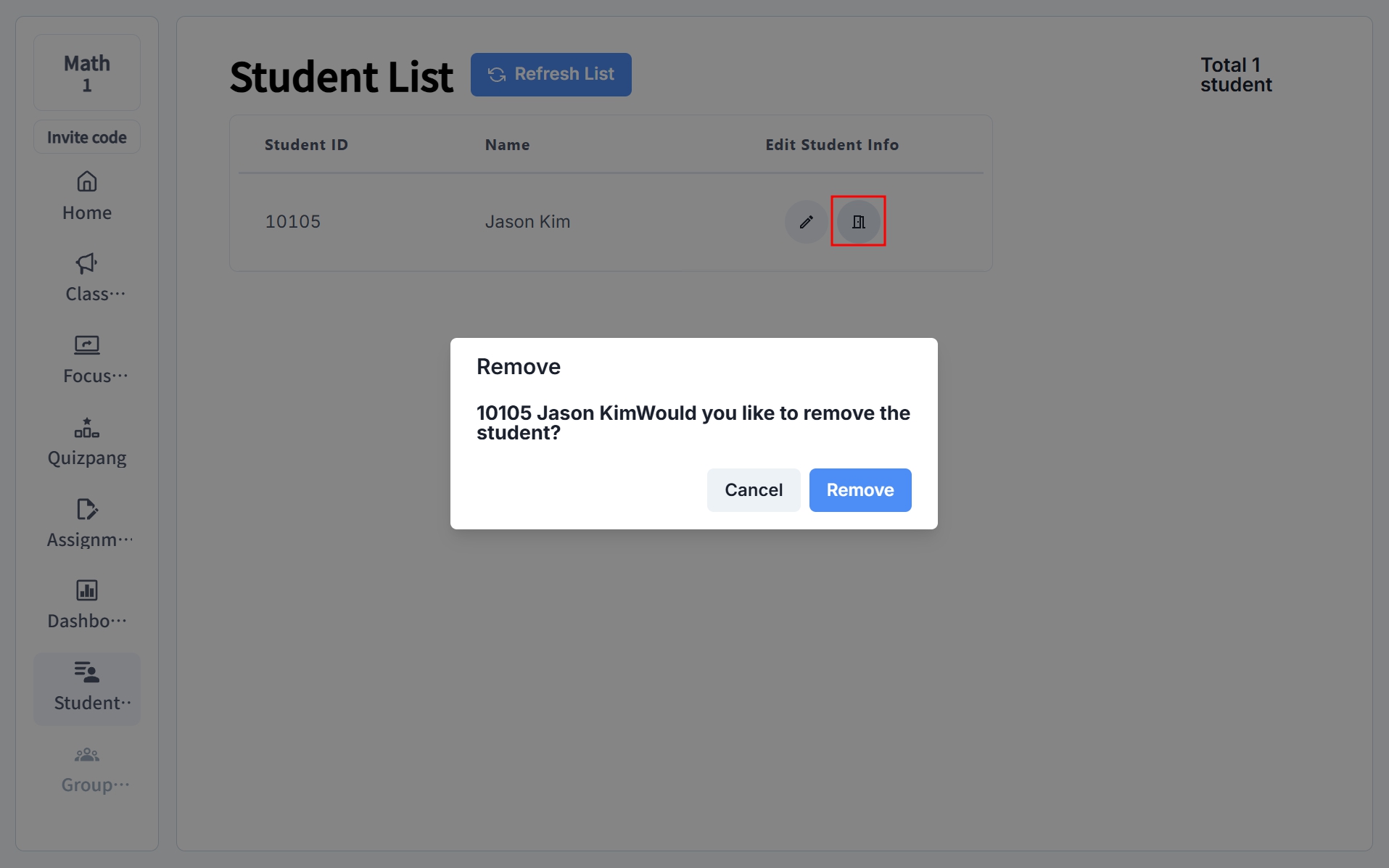
Click the 🚪door icon to remove the student from the list.
danger
Once a student is removed from the list, it cannot be undone. Then please double-check before removing a student.