Install focuspang on Android Devices
Using focuspang through a mobile browser (Chrome, Samsung Internet, etc.) may not work properly. Please make sure to install the focuspang Teacher on your Android device.
How to Install
Step 1: Open the Play Store
Find and open the Play Store app on your Android device.
Step 2: Download the focuspang Teacher app

Download
Tap the button above or search for focuspang Teacher in the Play Store.
Step 3: Install the app
Once you find the focuspang Teacher app, tap Install to begin installation.
After Installation
Step 1: Open the focuspang App
When installation is complete, you’ll see the focuspang Teacher app icon on your home screen. Tap the icon to start using focuspang.
Step2: Allow each permission
1. Allow the Display over other apps
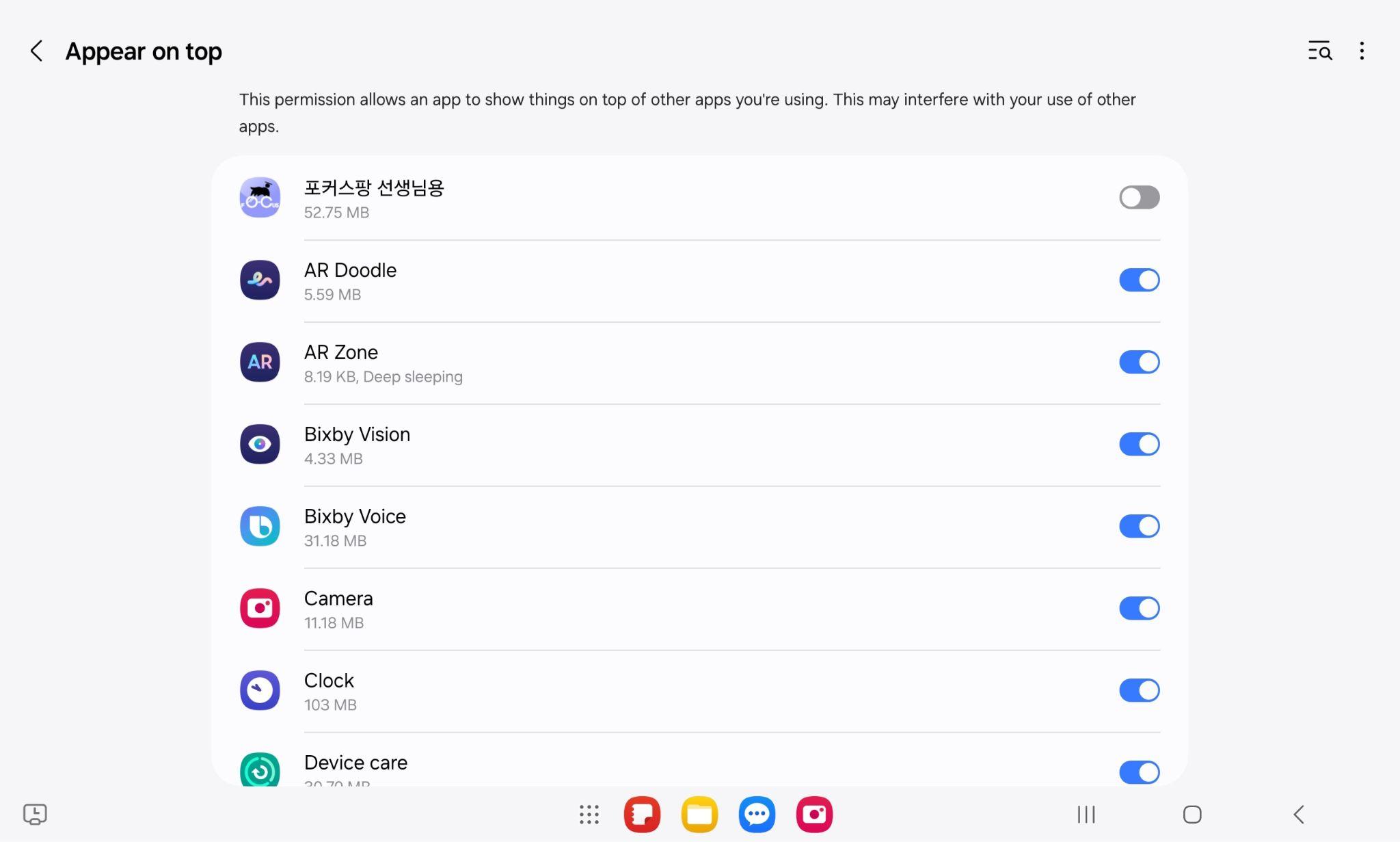
When the app is first launched, you must allow Focuspang to display over other apps.
2. Allow Notifications
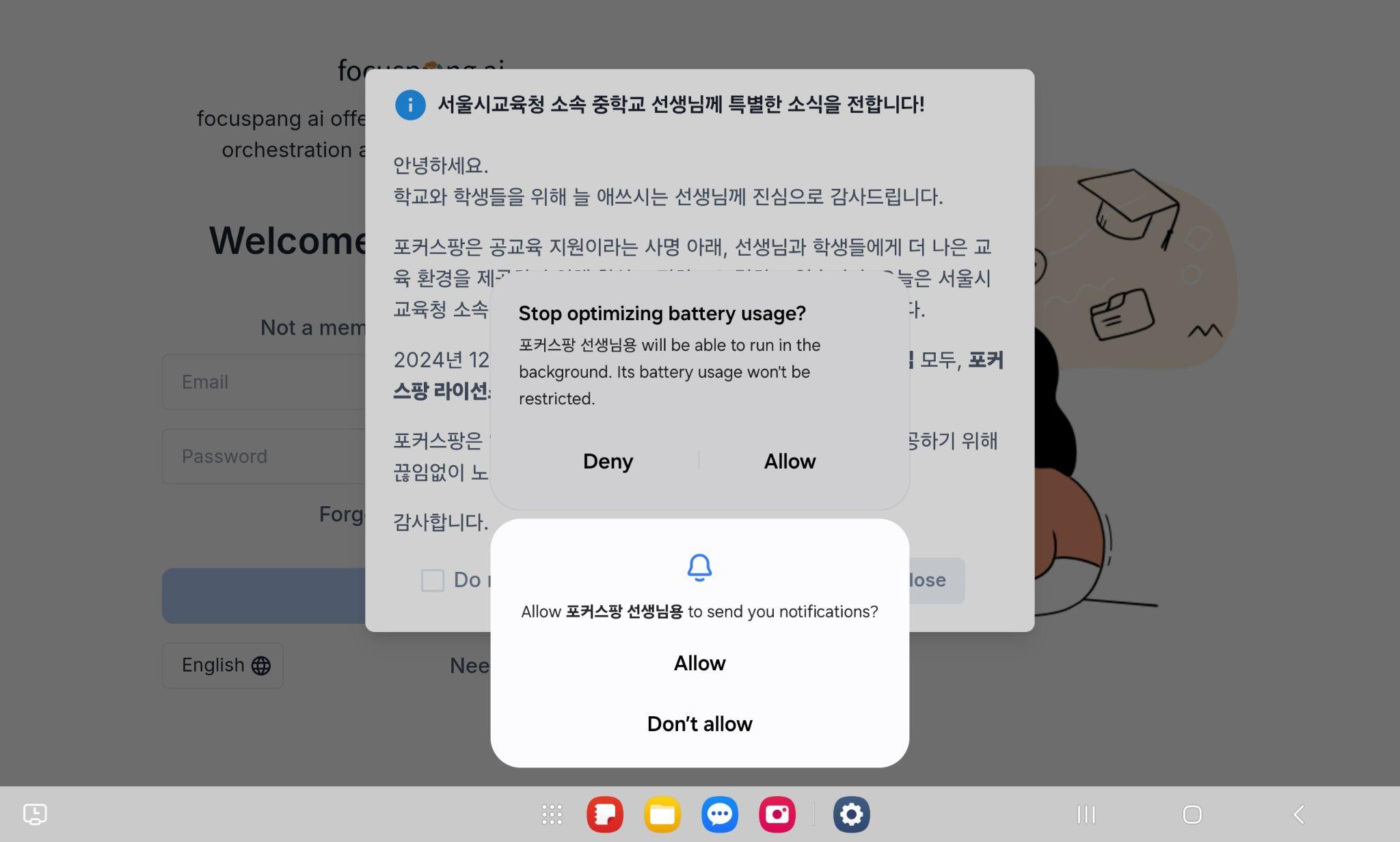
To receive service notifications, select Allow when the popup appears.
3. Exclude from Battery Optimization
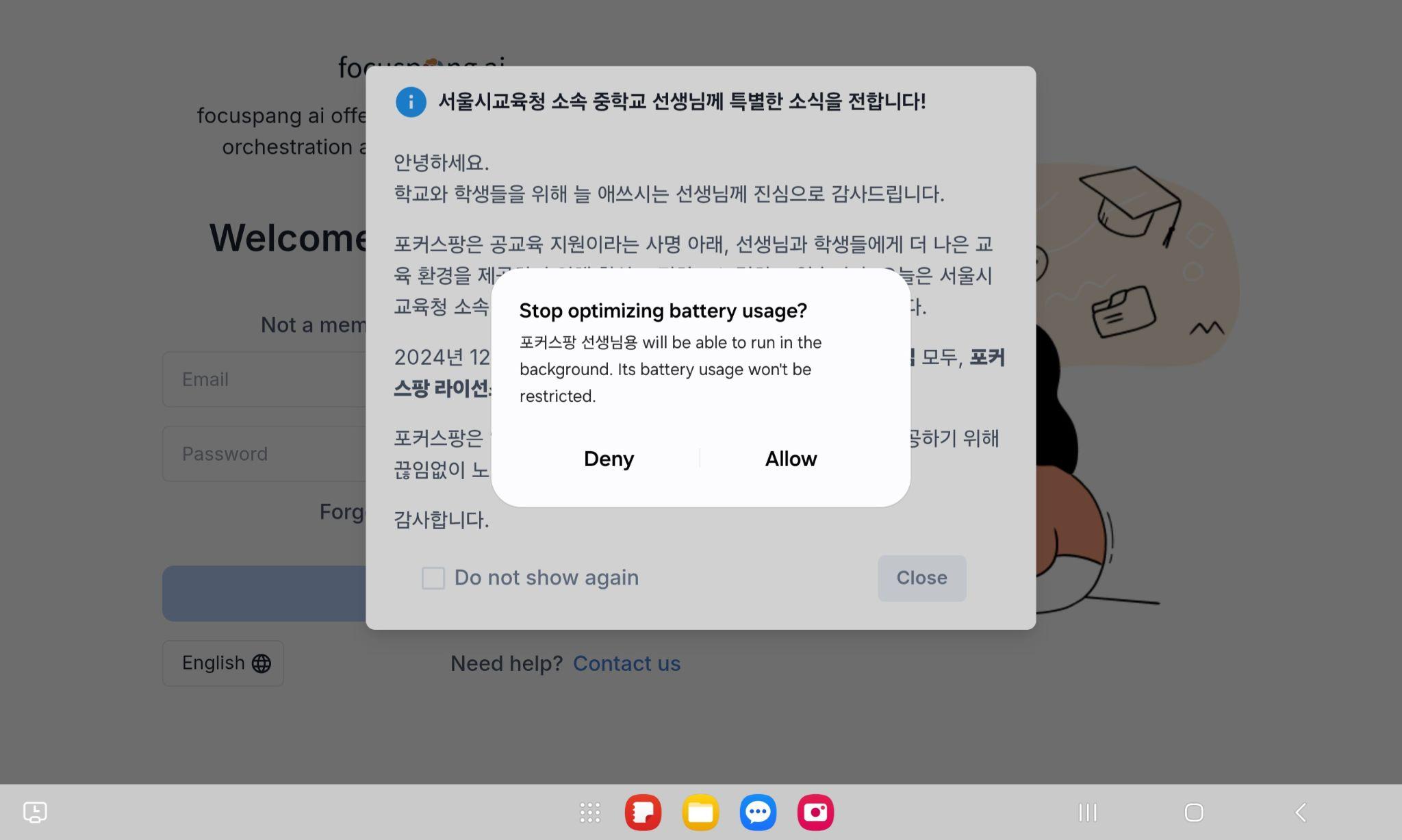
To keep background execution and notifications active, allow battery optimization exclusion.
4. Access the Login Screen
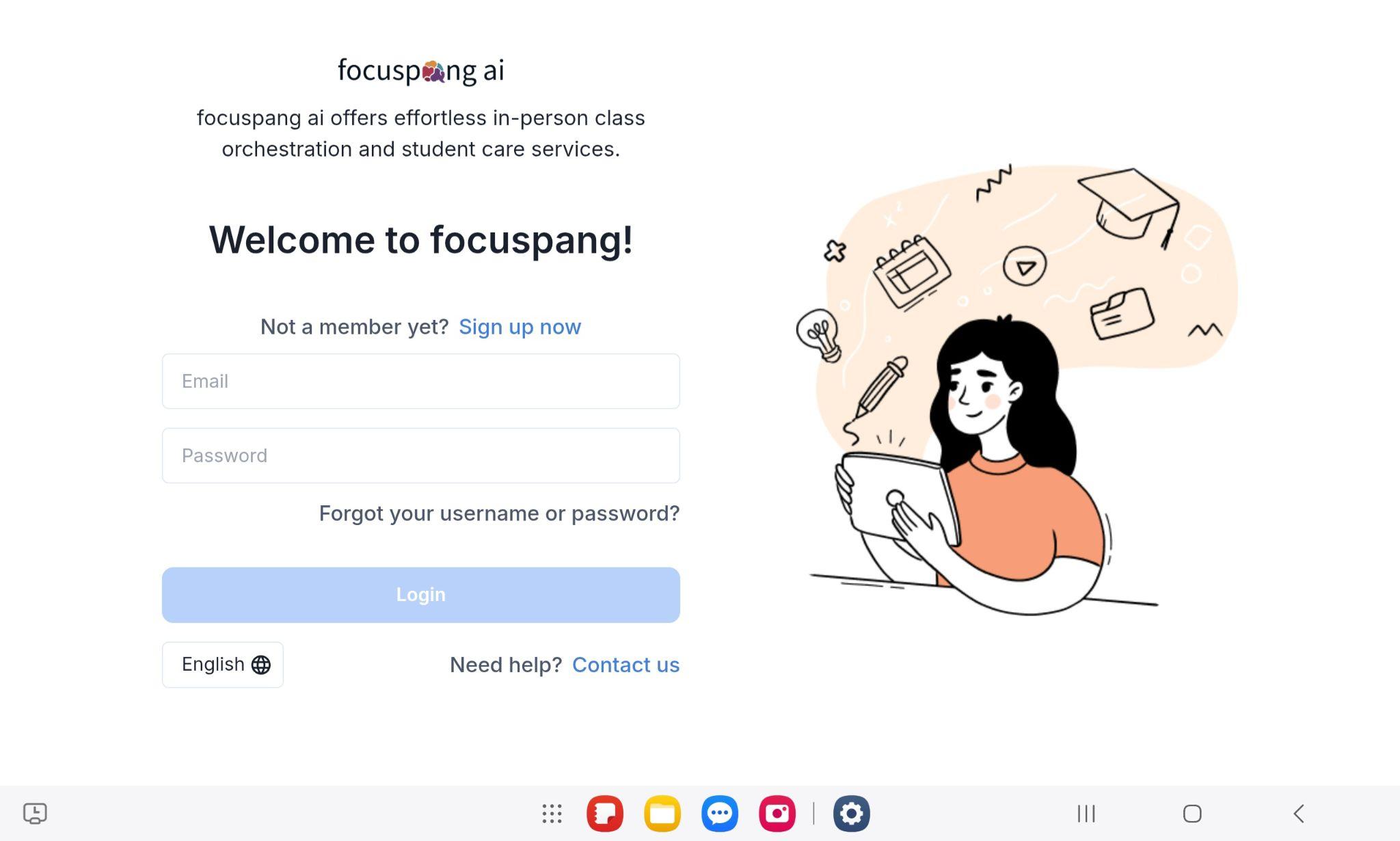
After granting all permissions, you can proceed to the login screen.
If you have trouble installing the app, please ask your school’s IT support teacher for help.
Next Step: Sign up / Log in