Quizpang
📍 Class Schedule → Click the class in the timetable → Click [Quizpang] in the left menu
What is Quizpang?
Quizpang is a live quiz where you answer questions about what you’ve learned.
During Quizpang, you can:
- Answer questions your teacher made from the class material.
- See right away whether your answer is correct.
- Check your score.
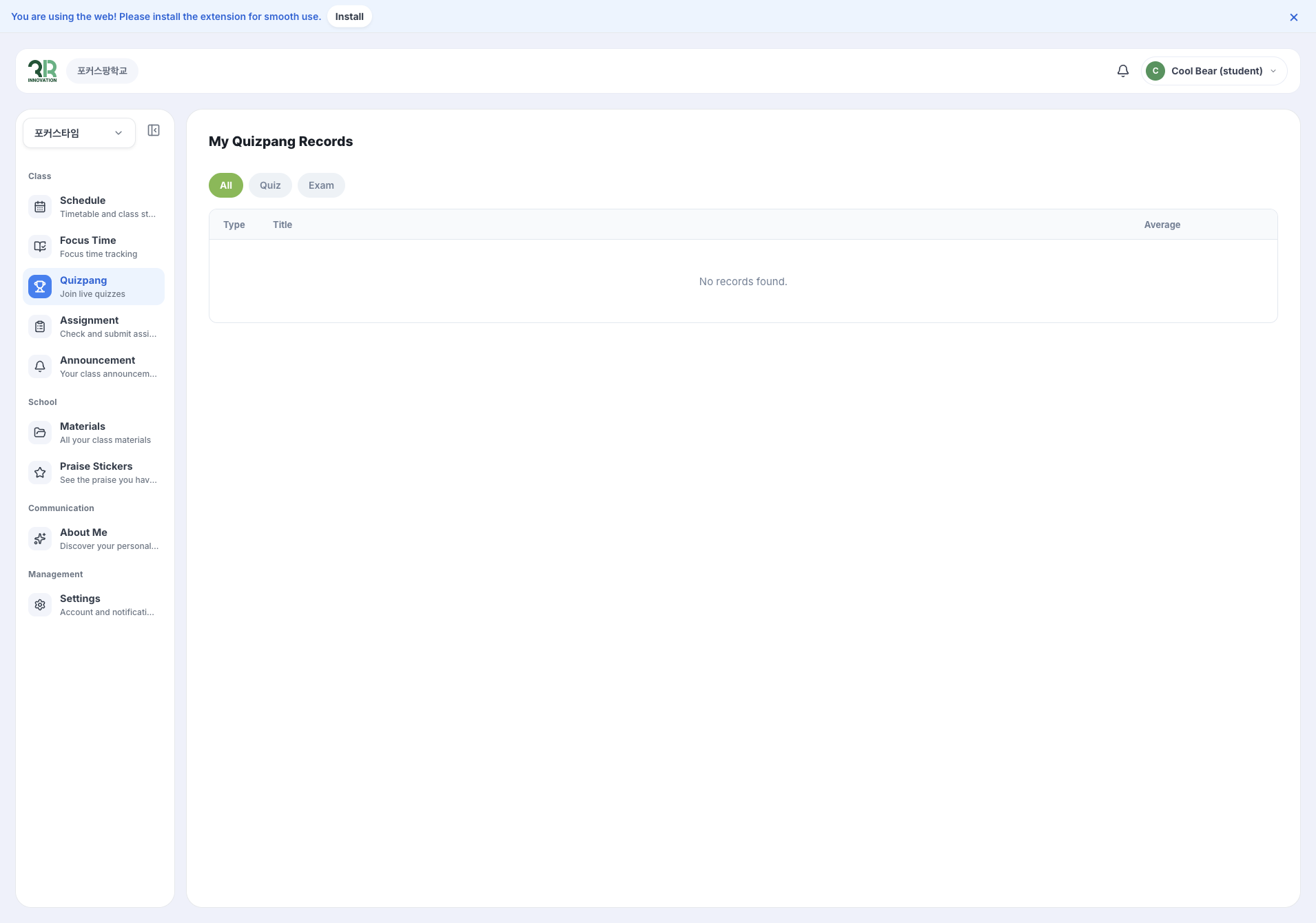
My Quizpang Records
When no quiz is running, Quizpang shows My Quizpang Records. You can filter your records by All, Quiz or Exam, and see the Average for each one.
How to participate
Step 1: Join Quizpang
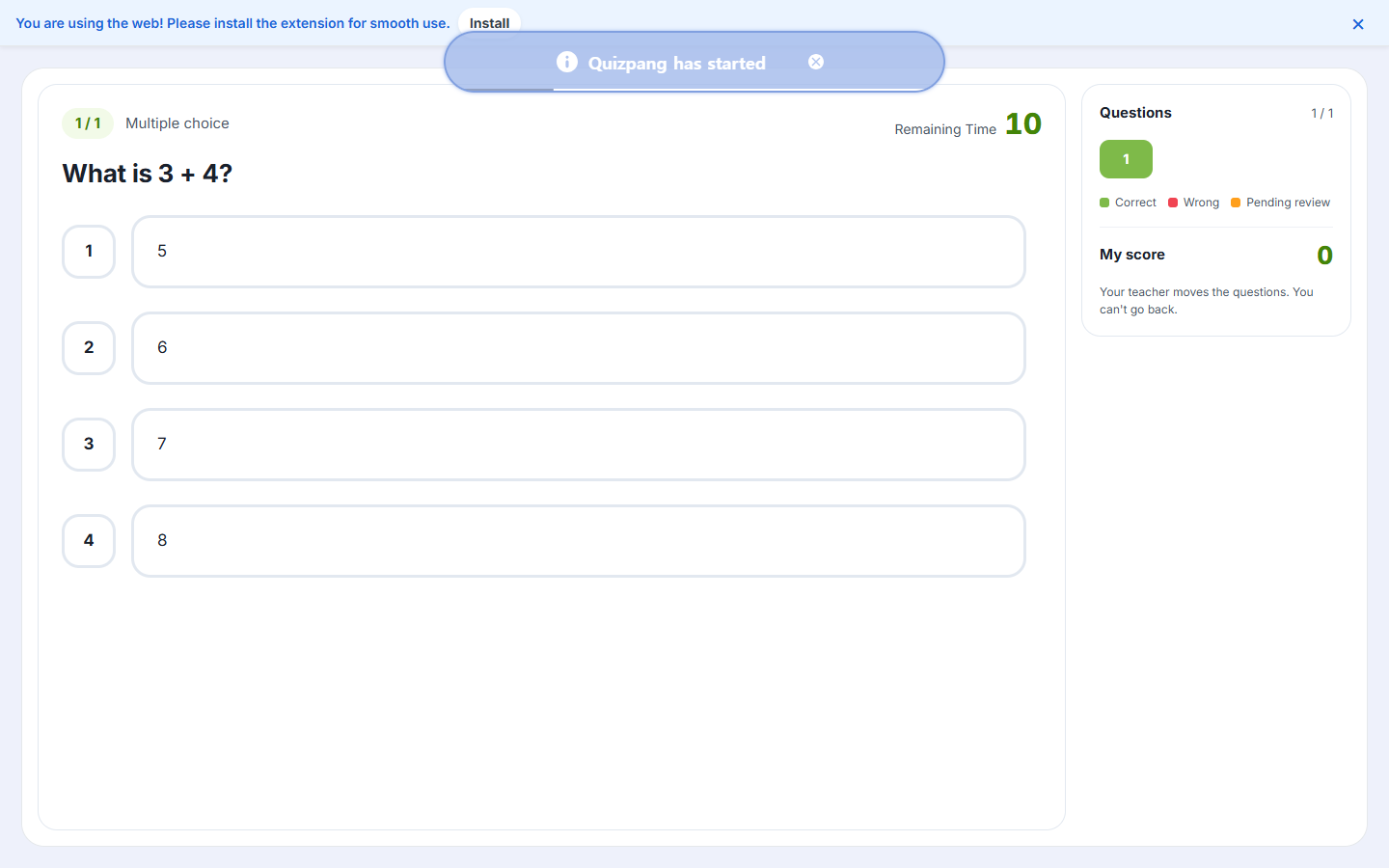
When your teacher opens the quiz, click Quizpang in the left menu. The quiz starts when your teacher clicks start.
Step 2: Answer the questions
Choose your answer before the Remaining Time runs out.
note
Your teacher moves to the next question. You can’t go back to a previous question.
Step 3: Check your result
Right after the time is up, you can see the correct answer, your answer and your score.
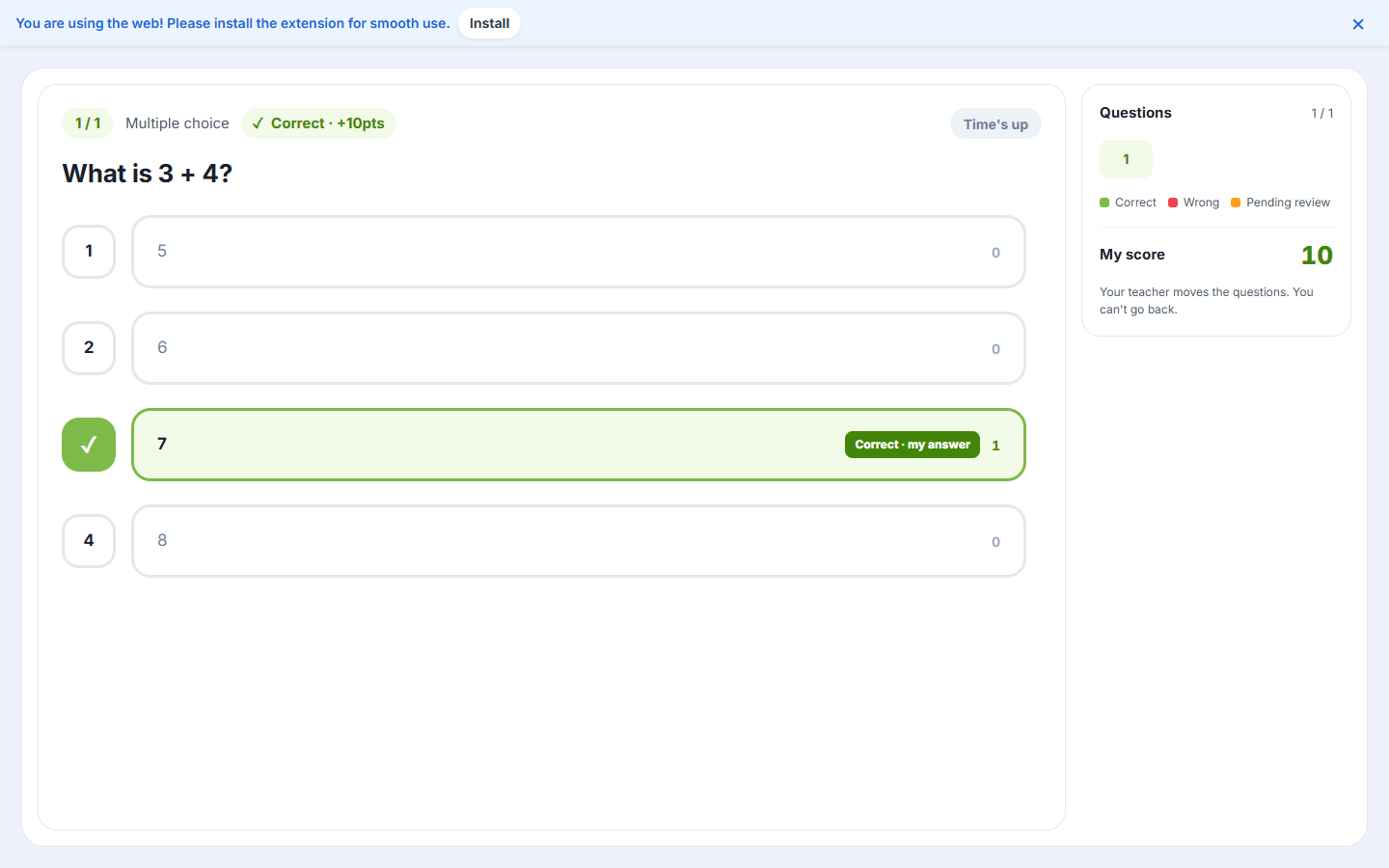
When your teacher ends the quiz, you can leave the quiz screen.