4. Logout
After finishing a class or using focuspang, always make sure to log out. Proper logout is essential for protecting your personal information and ensuring smooth operation for the next class.
How to Log Out
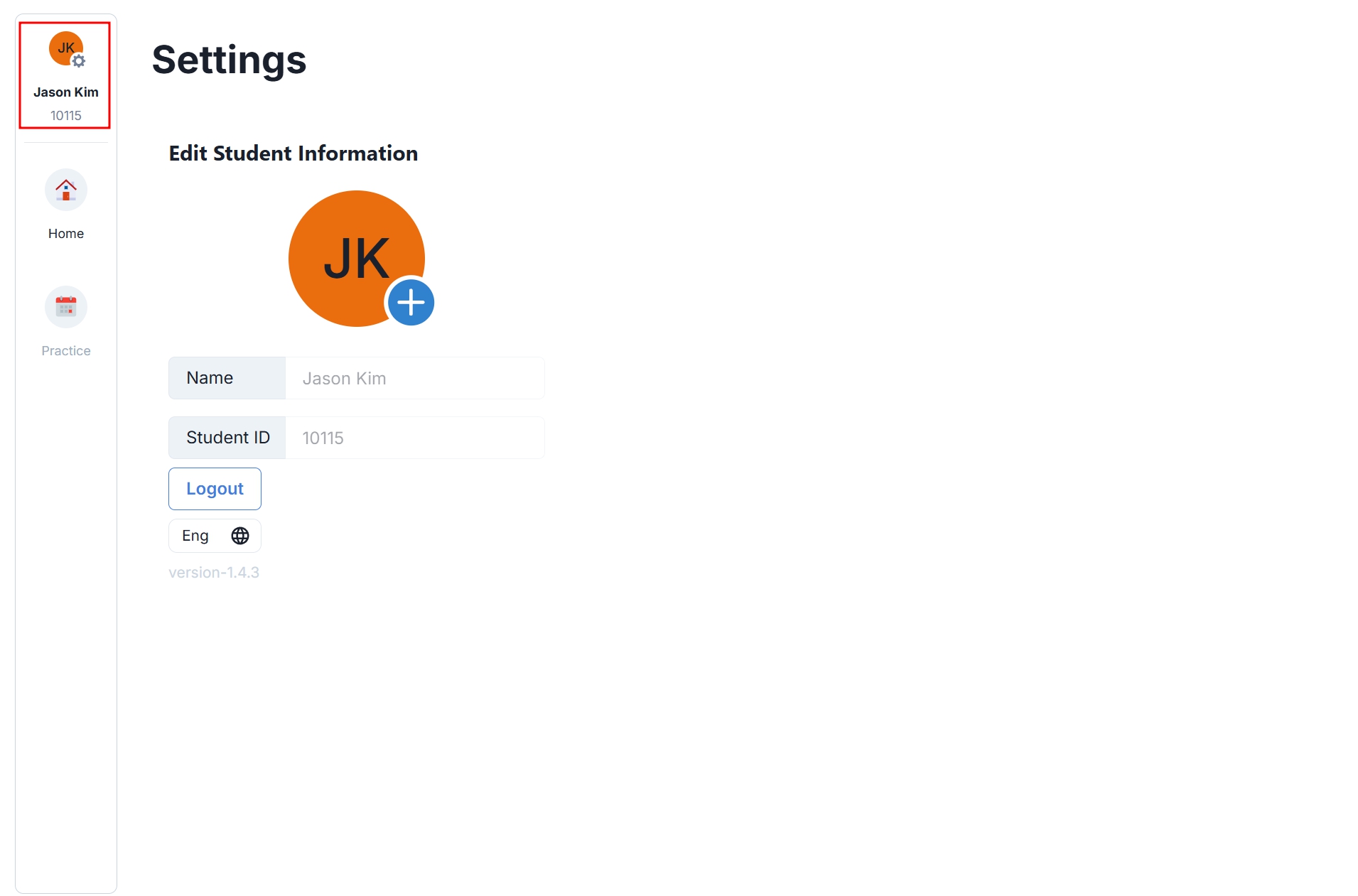
Step 1: Go to the Settings Page
On the home screen, click your profile picture or name in the top-left corner to open the settings page.
Step 2: Execute Logout
Click the [Logout] button on the settings page to log out.
Always Remember to Log Out Make sure to log out in the following situations:
1. After Classes End of each class:
- Log out immediately when a class ends.
- Breaks: Before a long break or lunchtime.
- Before going home: After using the school device.
2. When Security is Needed
- Leaving your seat: Even for a short time.
- After using a friend’s device: If you borrowed someone else’s device.
Common Issues and Solutions
If you cannot log out:
- Force close the app: Exit the app completely and reopen it.
- Restart your device: Restart your smartphone or tablet.
- Check network connection: Ensure you are connected to the internet.
- Ask your teacher: If the problem persists, request assistance from your teacher.
If duplicate login occurs:
- Log out from all devices: Make sure you are logged out from all devices you used.
- Wait a few minutes: Wait 5–10 minutes before logging in again.
- Use only one device: Log in on only one device at a time.
- Ask your teacher for help: Contact your teacher if the issue continues.