Class Announcements
📍 Class Schedule → Click the class in the timetable → Click [Announcement] in the left menu
You can read the announcements your teacher posts for your class.
Step 1: Find the announcement
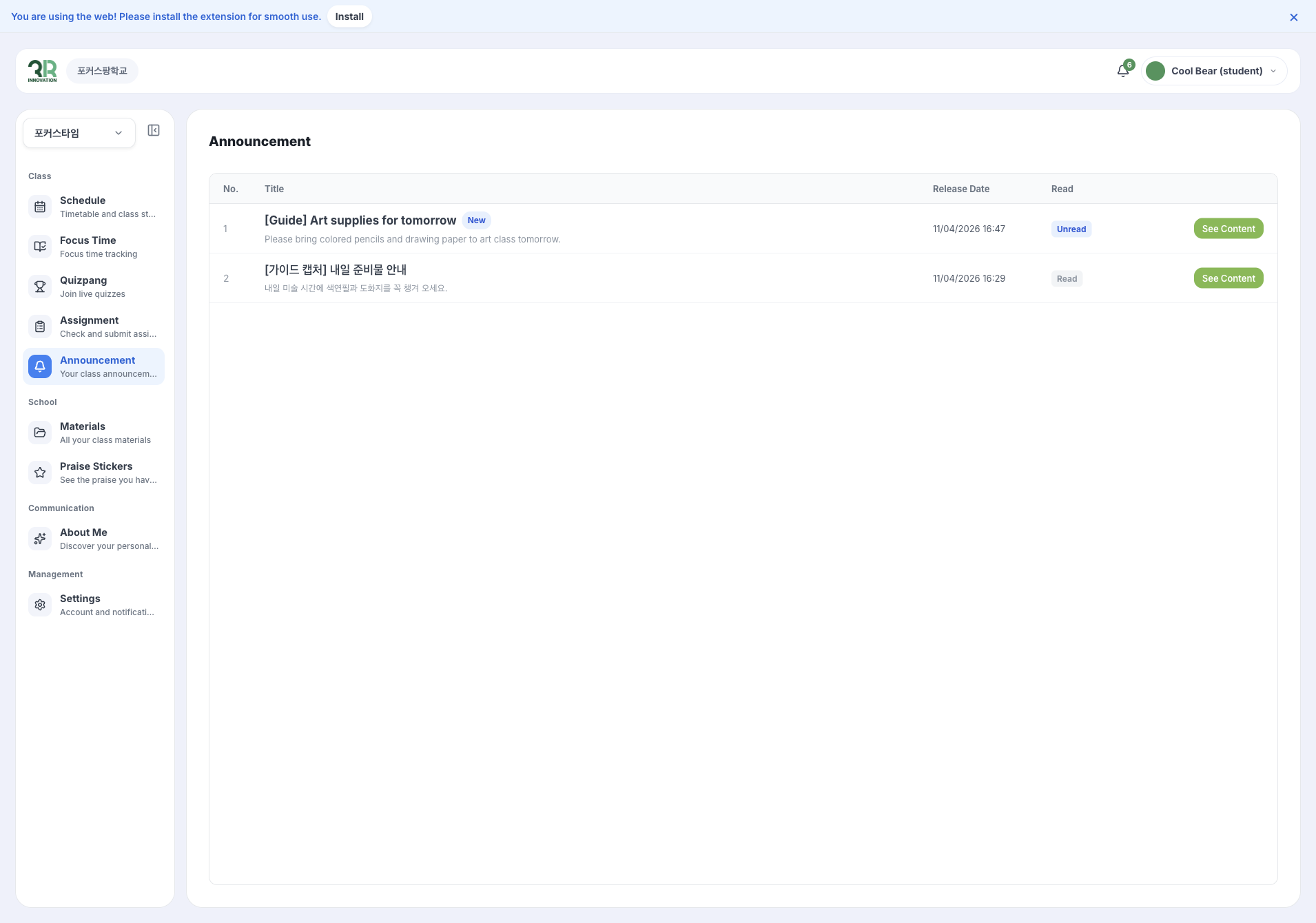
The list shows each announcement’s Title, Release Date and whether you have read it. New announcements have a New label and show Unread until you open them.
Step 2: Read the announcement
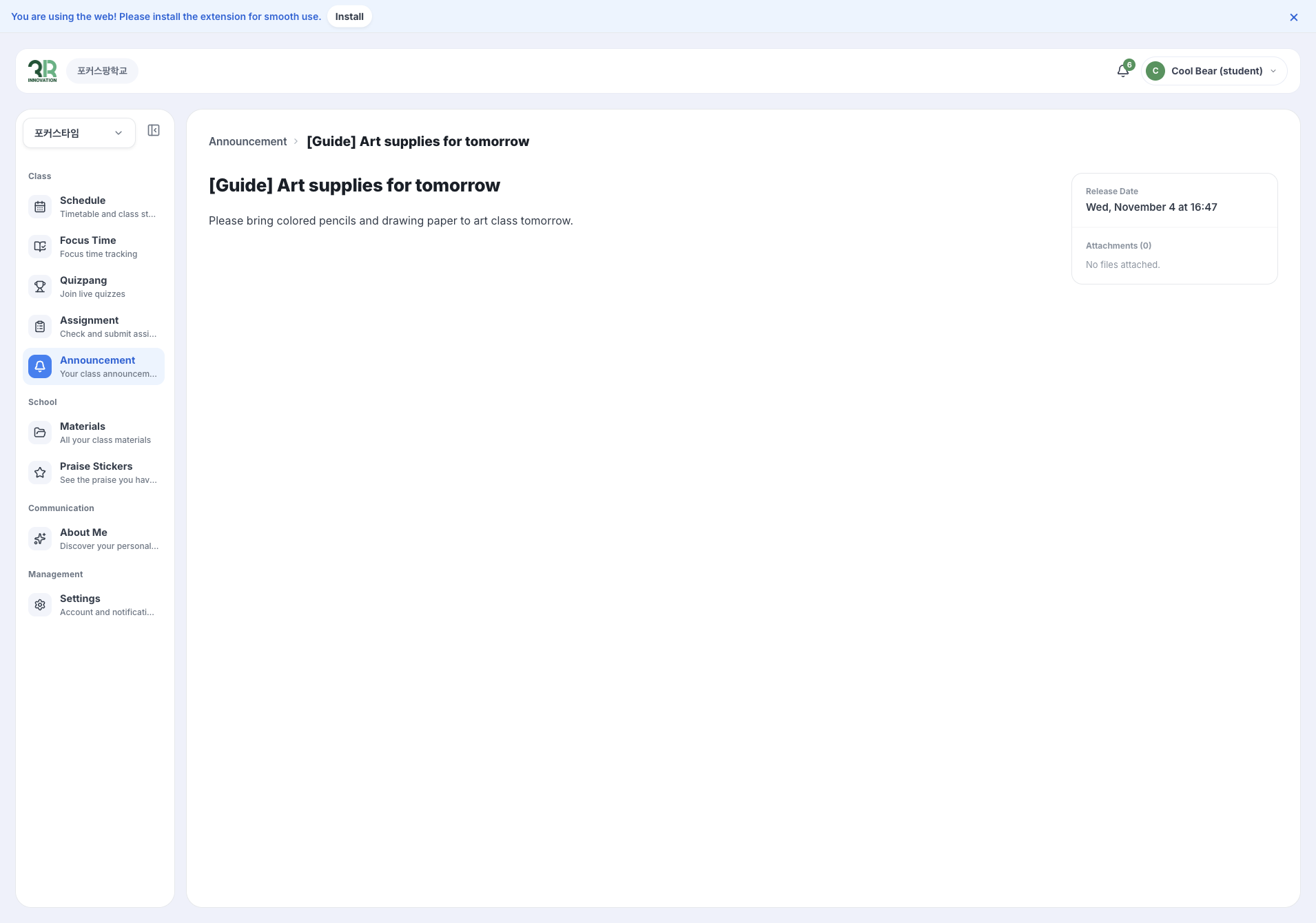
Click [See Content] to read it. The Release Date and any Attachments are shown on the right.