4. User Guide
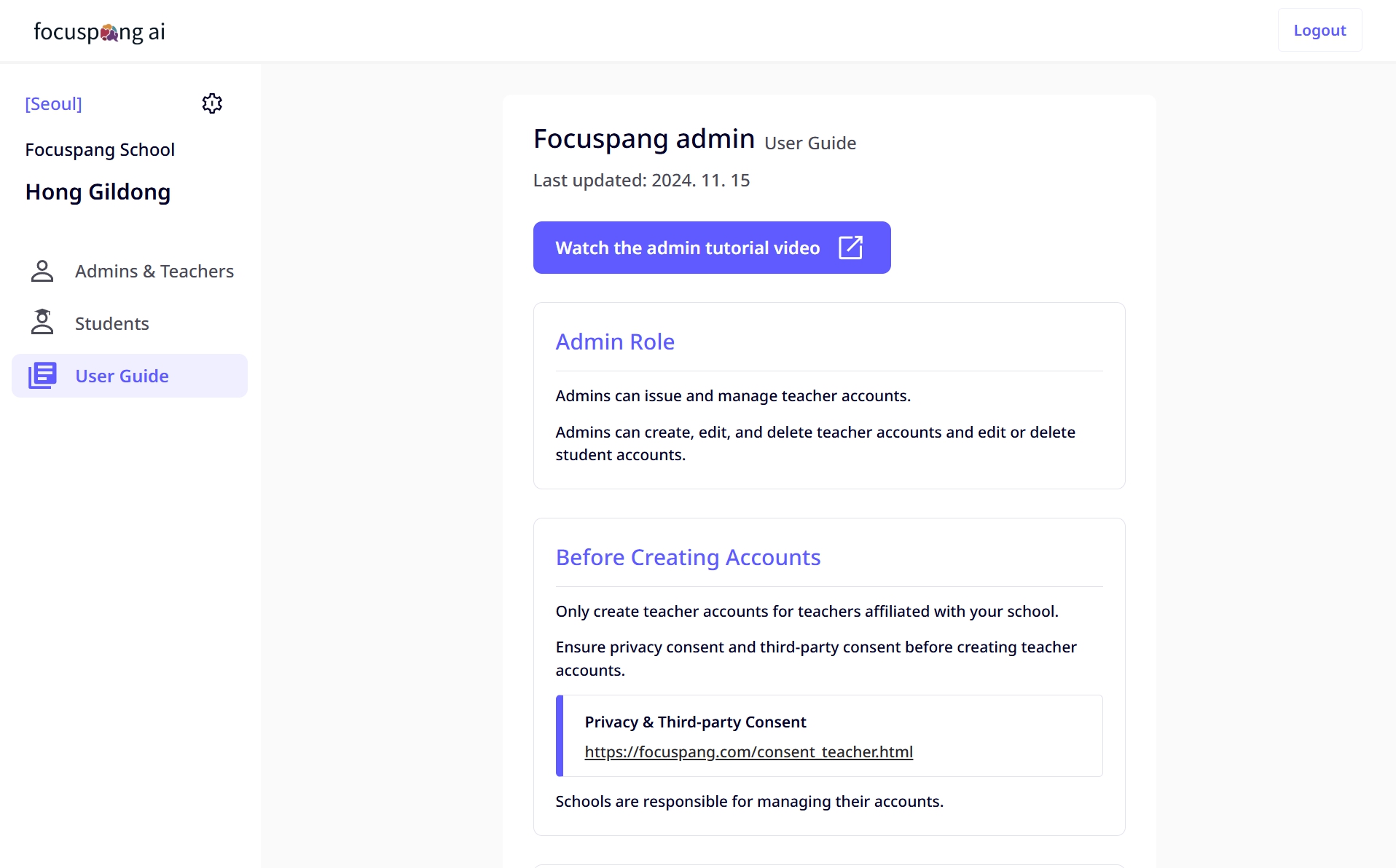
If you are using the focuspang administrator system for the first time or would like to learn more details, please check out the video guide.
Video Guide
Click the button in the User Guide menu on the left sidebar of the administrator system to access the video.
Additional Support Services
If you have questions or encounter problems while using Focuspang, you can get immediate assistance.
Inquiry Service 🔗link
- 24/7 submission: Submit inquiries anytime
- Quick response: Prompt replies during business hours
- Inquiry history: Review previous inquiries
KakaoTalk Support 🔗link
- Real-time chat: Live support during business hours
- File sharing: Send screenshots of error messages, etc.
- Conversation history: Keep a record of your support chats
Helpful Information When Making an Inquiry
Providing the following details will help us give you faster and more accurate support:
Basic Information
- School name: Which school you are using focuspang at
- Administrator ID: Account information related to the issue
- Usage environment: Browser type, operating system, etc.
Problem Details
- Time of occurrence: When the issue started
- Specific symptoms: Detailed description of the issue
- Error message: Full content of any error messages shown
- Steps to reproduce: The process leading to the issue
Additional Details
- Screenshots: Images showing the problem
- Browser information: Browser name and version
- Actions taken: Solutions you have already tried